One of the most-requested features is finally here: you can now upload files directly to your server from the File Manager in your RunCloud dashboard. 
Here’s everything that’s new:
-
File uploads: Select files from your computer and upload them directly to your web application. The File Manager supports uploads up to 100 MB per file. For larger or high-volume transfers, SFTP or SSH is still the recommended approach.
-
Bulk actions: Select multiple files and folders at once and act on all of them in one go – change permissions, move, rename, zip, unzip, or delete.
-
Move: Relocate files and folders to any directory within your web application directly from the dashboard.
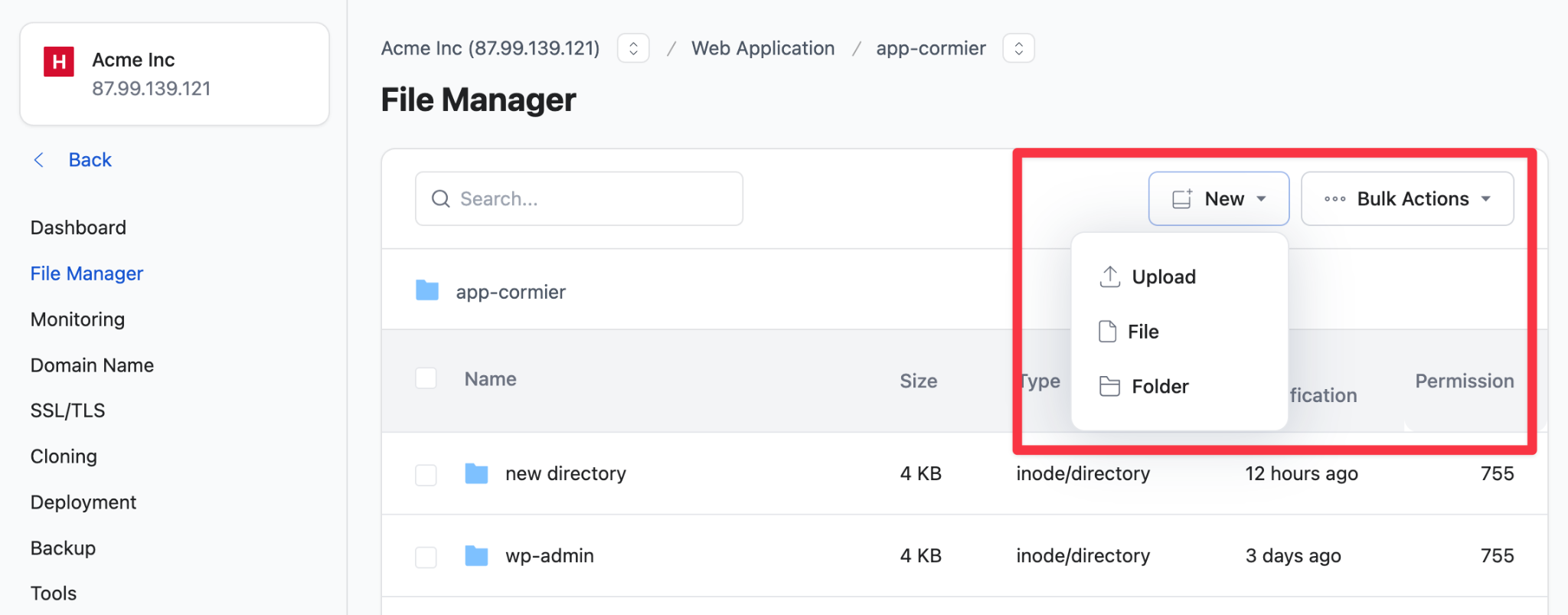
To access the updated File Manager, open any web application in your RunCloud dashboard and click File Manager in the side navigation. These features require agent version 2.17.0 or above. If you’re not seeing them, update your agent first.
See it in action: https://youtu.be/nP_Nx4eAaMU
Read the documentation: https://runcloud.io/docs/file-manager
We’d love to hear what you think. Drop your feedback below. 