The LiteSpeed team has released a critical security update addressing a vulnerability in LiteSpeed’s QUIC and HTTP/3 Library (LSQUIC) that could result in memory leaks.
What we’ve done: RunCloud has now automatically applied the update to OpenLiteSpeed servers. Your environment should now be running OLS v1.8.4 or higher.
Action required:
In most cases, no action is required – RunCloud will have already updated your affected server(s) automatically.
However, since this is a security update, we strongly recommend double-checking that your OpenLiteSpeed version is 1.8.4 or higher to ensure you are protected.
@alex So how do I check if my applications are on the latest OpenLiteSpeed version in the Runcloud dashboard? When I open each Web Application all I get is Application Name, The PHP version and the Word “OpenLiteSpeed” at the top of the Dashboard. No Version Number…
Do I need to login to each Web Application one at a time to see if they were updated? That’s not convenient and very time consuming.
Thanks!
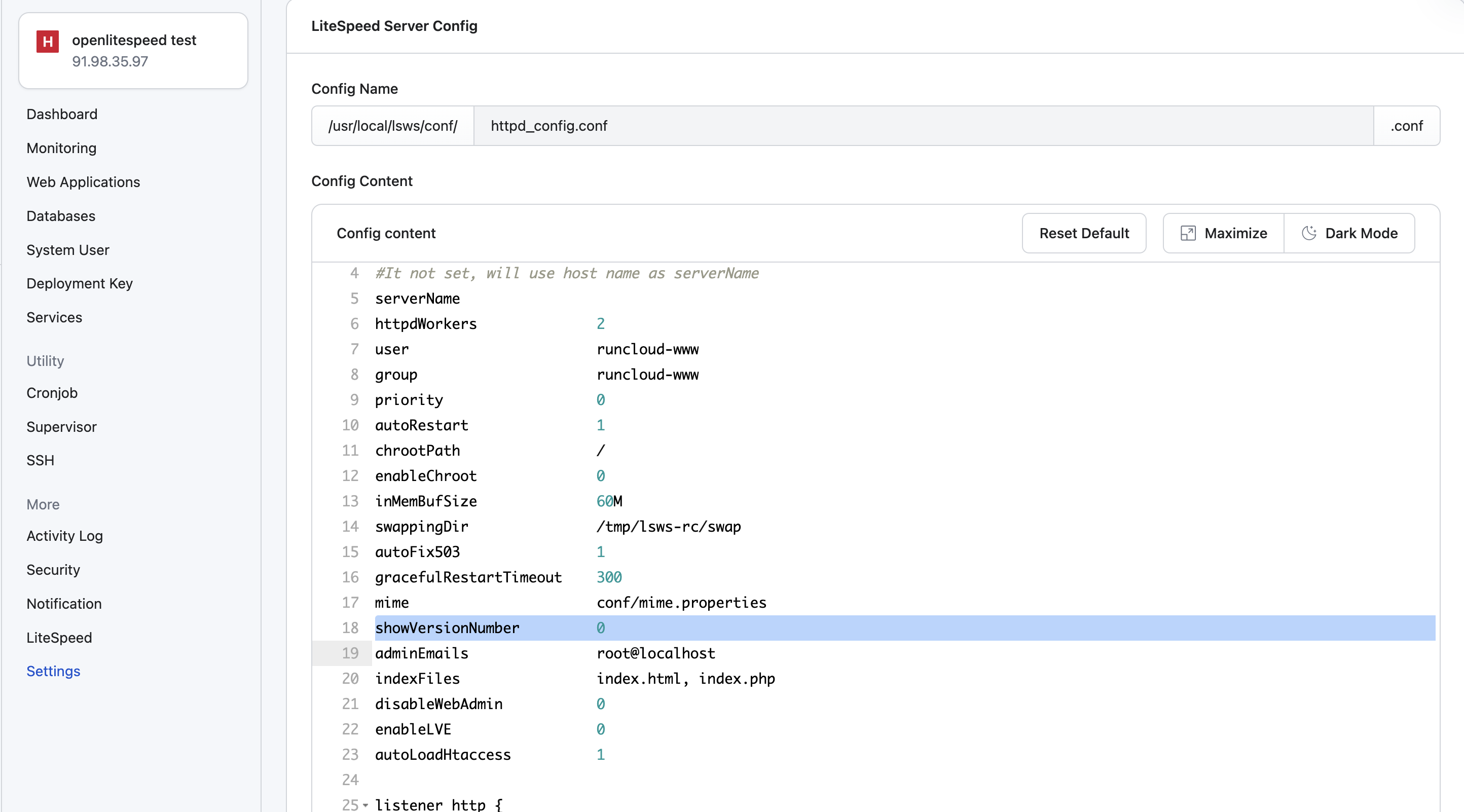
@Info1 The easiest way would be to update your LiteSpeed config by setting the showVersionNumber value to 1 (temporarily) … the default is 0 as shown below:
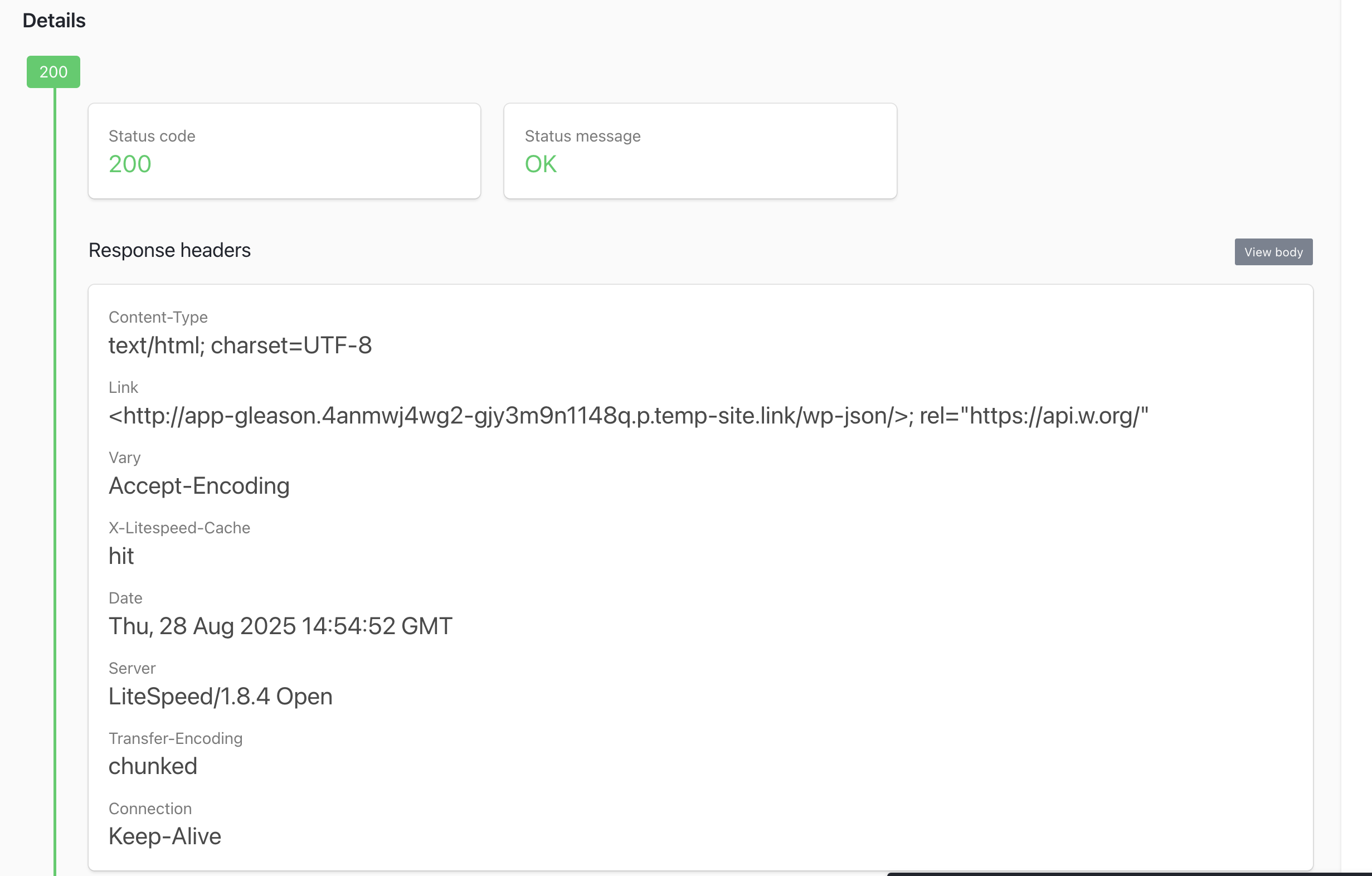
Then, once updated, on one of the sites on your server, plug the domain into https://httpstatus.io and look for the LiteSpeed Version in the HTTP header response.
In this case, the HTTP header shows the version is: LiteSpeed/1.8.4 Open
Sidenote: Being able to display a version number in the dashboard seems like an easy win on the surface so I am going to bring this to the team and see if we can ship it.
This won’t work if you’re using Cloudflare or other CDNs that block certain headers for security.
If you have SSL access, the command “/usr/local/lsws/bin/lshttpd -v” will show you the version number and other software version info.
It would be helpful for update checks/changes in the future to include a) Instructions to check version and b) What to do if the version isn’t up to date.
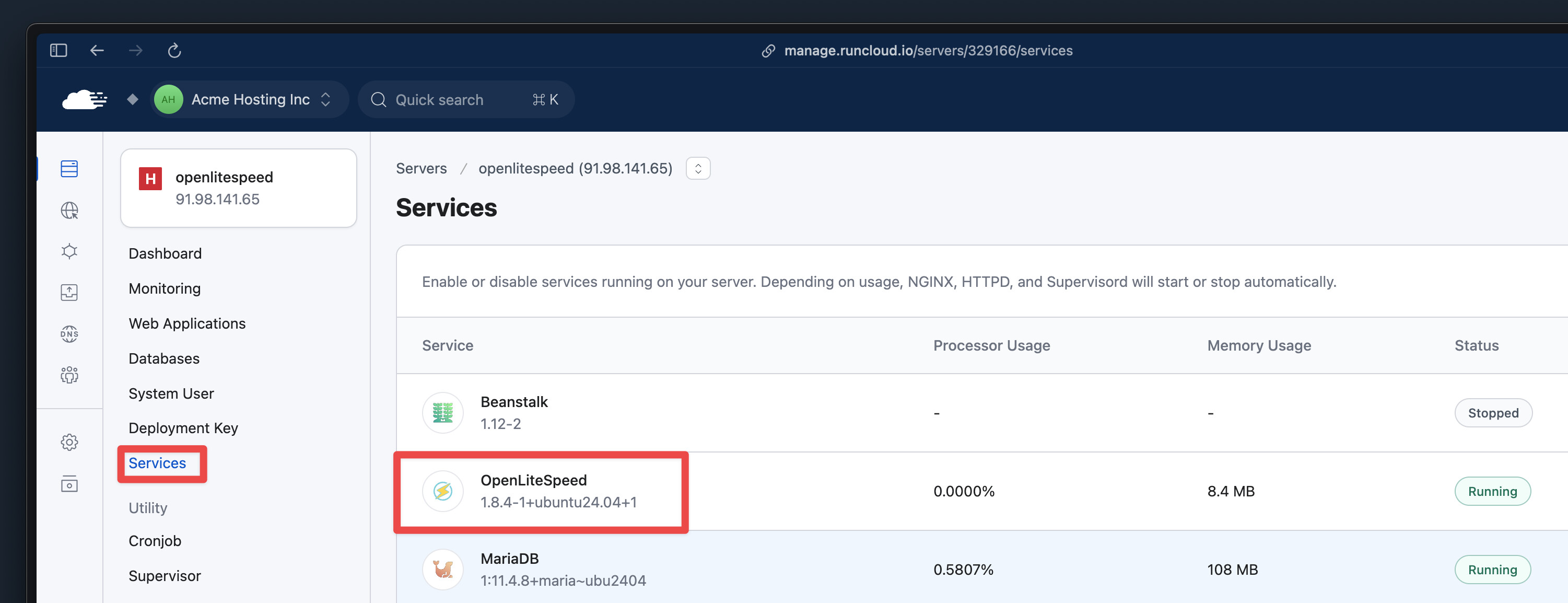
@outdoorsdev Thank you for the feedback. Just to confirm, is this not addressed by being able to access it under Server → Services, as shown below, or is the request to have a way to view it in RunCloud for all servers at a glance at the same time?