Hey everyone 
Today, we’ve rolled out two highly requested improvements to make managing WordPress on RunCloud more reliable and developer-friendly – without needing to touch your wp-config.php .
Note: Requires RunCloud Agent v2.16.9+
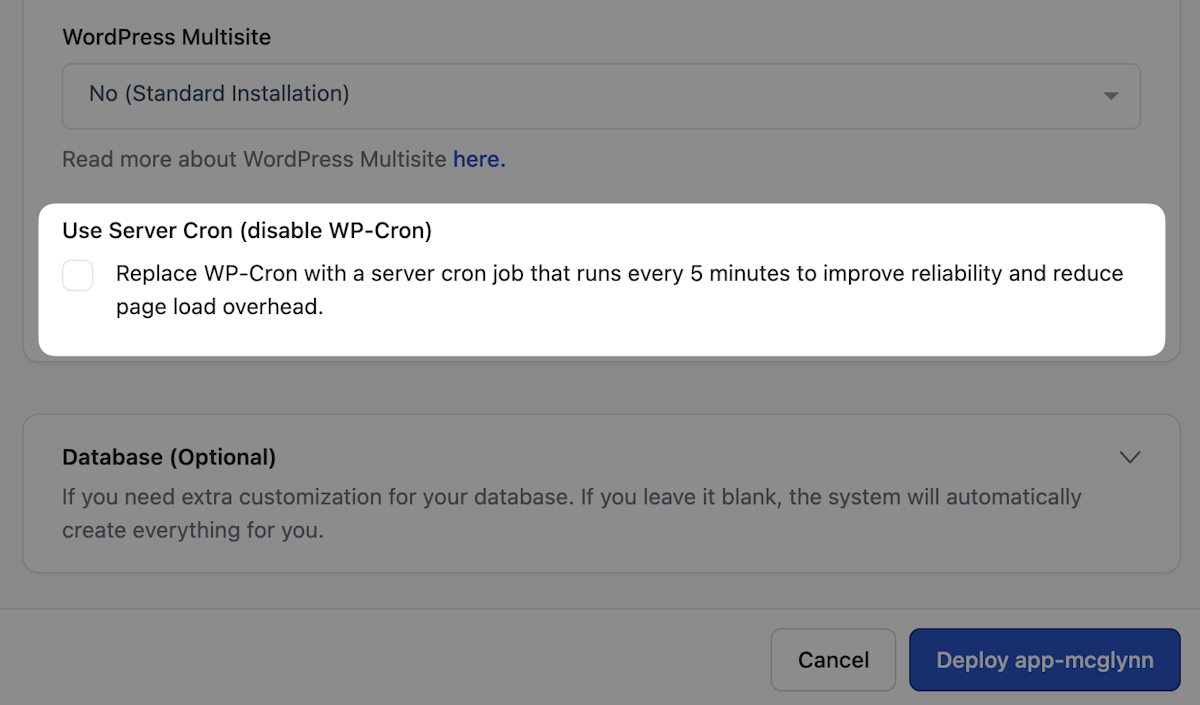
Replace WP-Cron with a Real Server Cron Job
WP-Cron has always been… unreliable. Missed schedules, unnecessary overhead, and tied to traffic patterns.
Now you can replace it with a proper server-side cron job in just a few clicks.
What happens under the hood:
- Disables WordPress pseudo-cron (
DISABLE_WP_CRON) - Creates a server-level cron job (runs every 5 minutes)
- Improves reliability for:
- Scheduled posts
- Backups
- Any time-based actions
- Reduces performance overhead from per-request cron checks
You can enable this:
- During WordPress app creation
- Or later via Web App → WordPress → General Settings
Development Mode Toggle (WP Debug, Simplified)
Debugging WordPress shouldn’t mean risking error exposure to users.
You can now safely enable Development Mode:
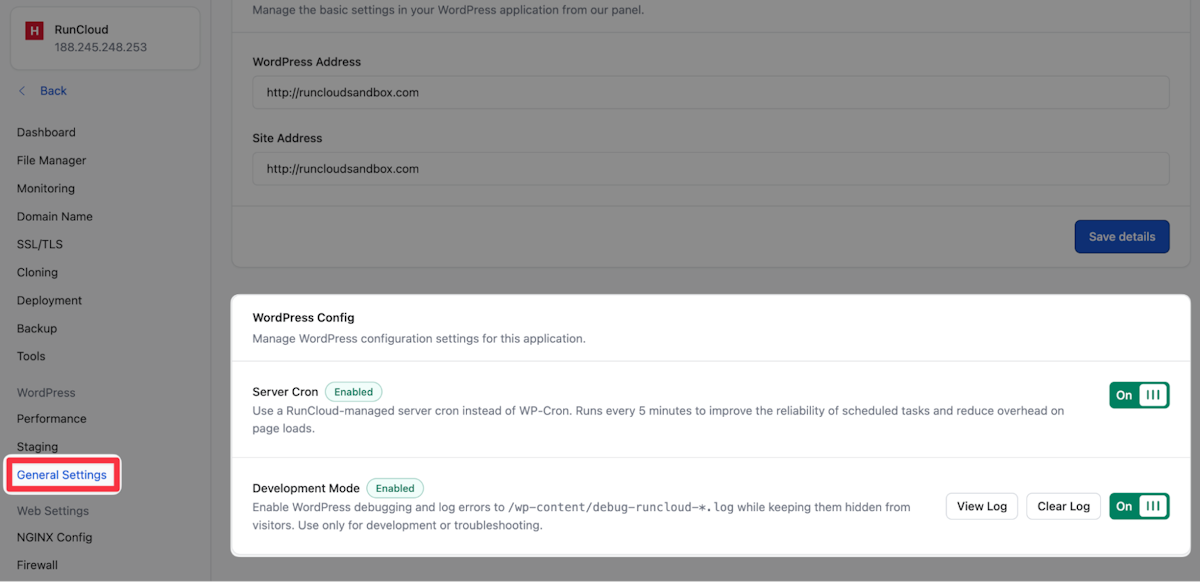
What it handles automatically:
WP_DEBUGWP_DEBUG_LOGWP_DEBUG_DISPLAY(disabled for safety)SCRIPT_DEBUG
What you get:
- Errors logged to a secure
debug.log - No accidental frontend error exposure
- Cleaner, safer debugging workflow